
We all heard of the Content Editor Web Part and how SharePoint users can take advantage of it. You’ll find blog entries here and there talking about the God-given powers of the editor web part and how in few lines of JavaScript code, or may I say JQuery code, you may do this and do that. Everyone gets excited about this, and you know why? It’s simple, by pass the IT conglomerate and be free.
Enter, a new feature of lock down power in SharePoint 2010; Allow or Prevent Contributors from adding or editing scriptable web parts.
From a first glance at this, I figured right away that the dudes at Microsoft are talking nicely about the Content Editor Web Part. Later I figured that they’re also referring to the HTML Form Web Part.
So how can you do this.
Here are few pre-requisites.
1. You will need access to SharePoint 2010 Central Administration. You got to be the Farm Administrator
2. The users you are targeting will need to be members of the default Members SharePoint Group or a group with similar Permission Levels. Having additional Site Level permissions, like Add and Customize Pages will not be good and will override what I’m trying to communicate here rendering this blog post useless.
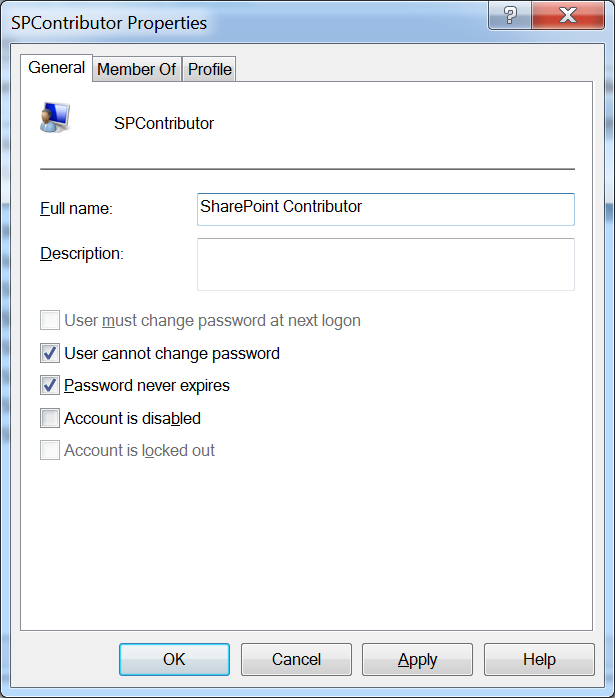
Here’s an example user I created locally on my machine.
Here’s a custom permission level created via a Copy of the Contributor permission level. See links and references below for more information on how to do this.

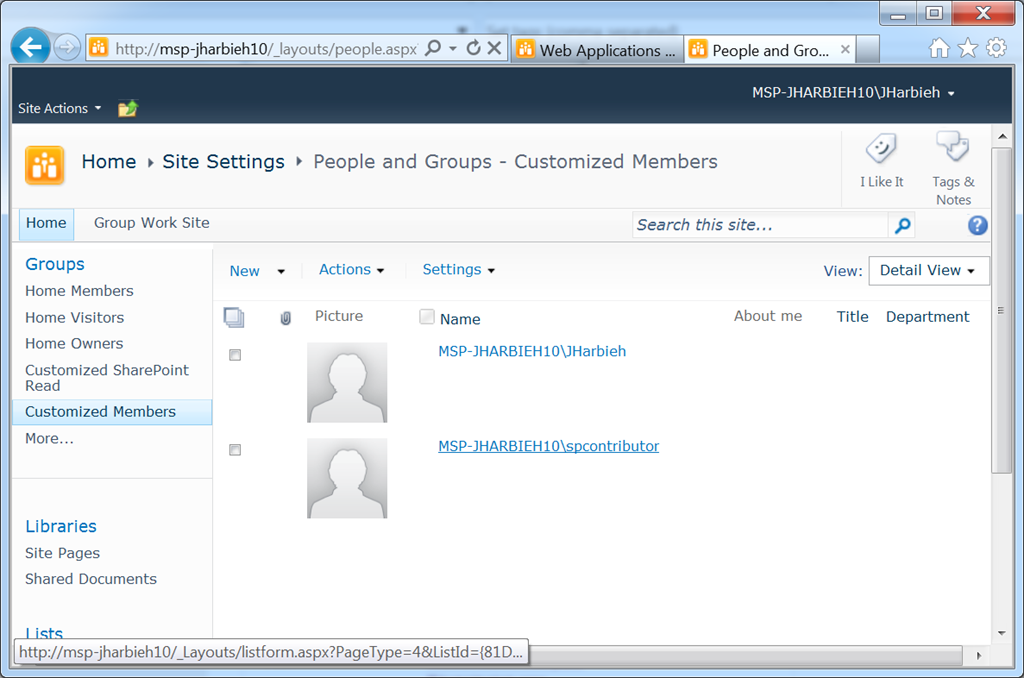
Here’s the user added to my custom Contributor group.
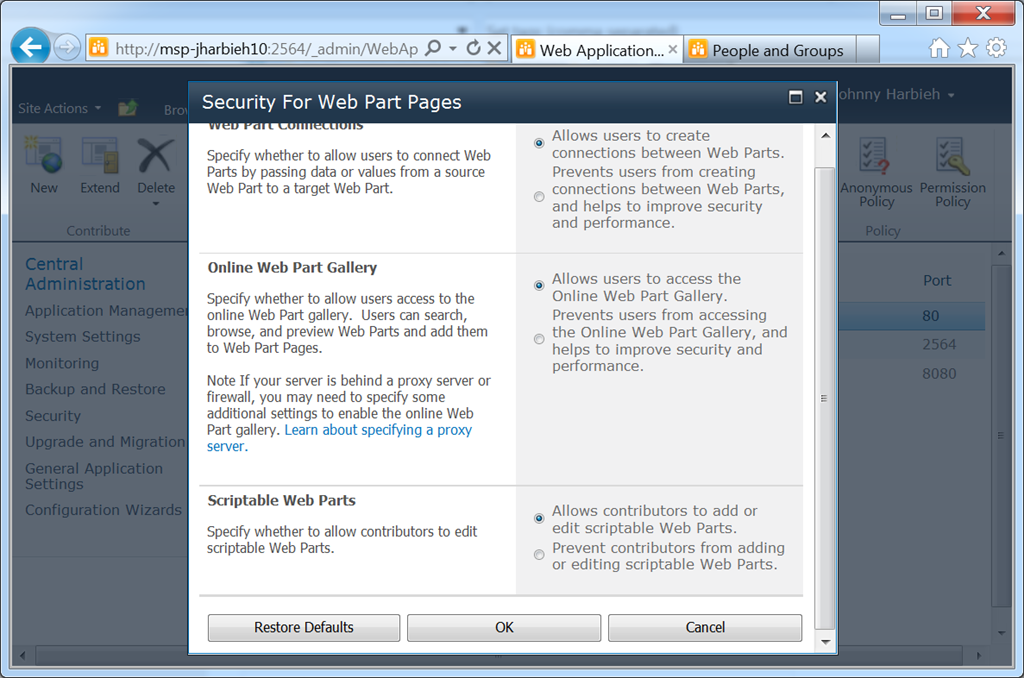
Default Web Application Settings
The default setting offered by SharePoint for scriptable web parts is to “Allow contributors to add or edit scriptable Web Parts”.
Prevent Contributors from adding scriptable web parts
Now, on to preventing users from adding scriptable web parts, such as: Content Editor Web Part. Here’s how to do it. You guessed it.
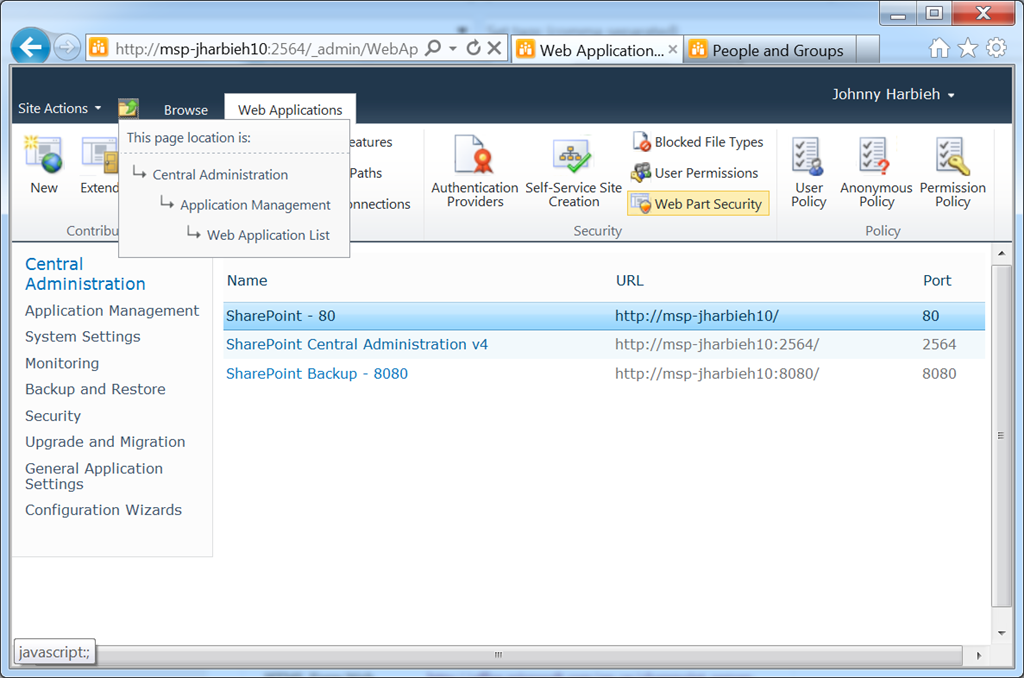
1. Access the Web Application List page
2. Select the Web Application you wish to modify the Web Part Security settings for
3. From the Security Ribbon Action Group menu (or whatever you call it), select Web Part Security
4. Scroll to the end of the page and select the radio button choice to “Prevent contributors from adding … “
5. And you’ve got it. Now, if a contributor is trying to add let’s say the Content Editor Web Part to his/her page, this windows browser dialog will appear. Click Add
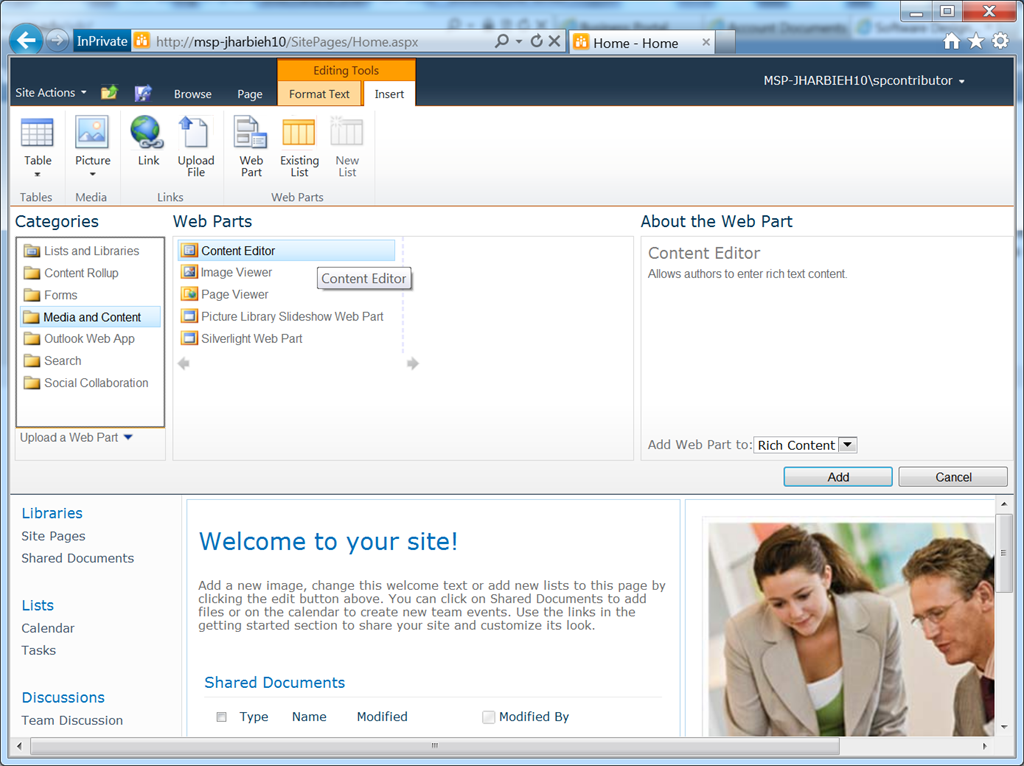
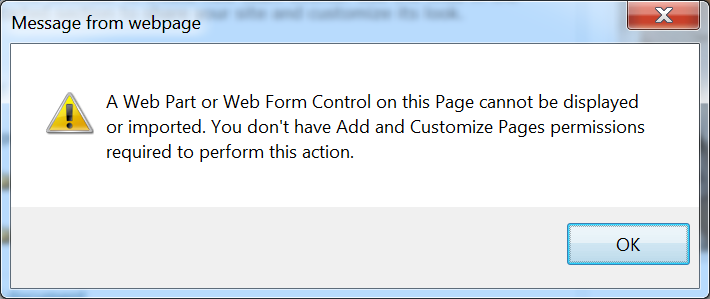
The above message also appears to users trying to add the HTML Form Web Part.

Finally
Here are few resources you may find helpful.
| Resource | Link |
| Content Editor Web Part | http://office.microsoft.com/en-us/sharepoint-server-help/using-the-content-editor-web-part-HA101794745.aspx |
| HTML Form Web Part | http://office.microsoft.com/en-us/sharepoint-server-help/use-the-html-form-web-part-to-filter-and-display-data-in-another-web-part-HA101791813.aspx |
| Copy Existing Permission Level | http://technet.microsoft.com/en-us/library/cc263239.aspx#section2 |
Take it easy.
 Johnny Harbieh